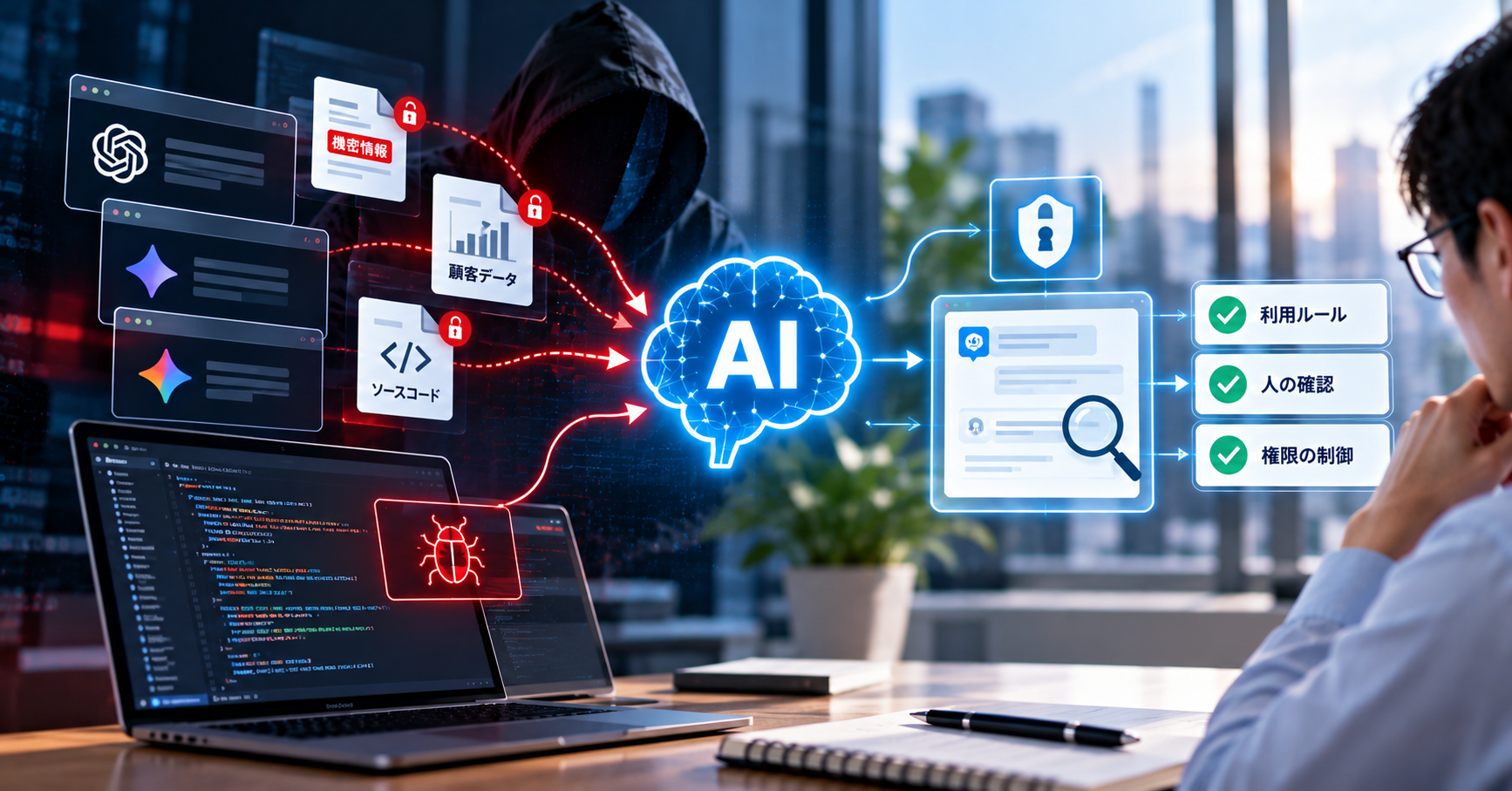
Summary: Shadow AI is employees using AI services the company does not manage for their work. Together with AI-generated code that nobody checks, it forms a risk group that needs no attacker at all. Japan's Information-technology Promotion Agency (IPA, 独立行政法人情報処理推進機構) recommends more than a ban: provide approved services, define what data may be entered, and check every AI output.
Part 5 of 6 in the series "AI-Driven Cyberattacks in Japan". For the overall map, see Part 1: the concept and the 3 risk groups.
Contents
- Why is internal AI use a cybersecurity risk?
- What is shadow AI, and how does it cause leaks?
- Why does banning AI not solve shadow AI?
- What risks does AI-generated code carry?
- Which process keeps AI's speed and still keeps control?
- What should you ask your software developer about their AI use?
- What can internal rules not solve?
1. Why is internal AI use a cybersecurity risk?
Internal AI use is a cybersecurity risk because data can leave the company, and defects can enter a product, without any attack taking place. IPA wrote this risk group into its description of the third-ranked threat for organizations in "情報セキュリティ10大脅威 2026" (10 Major Security Threats 2026).
The threat is titled 「AIの利用をめぐるサイバーリスク」 (cyber risks around the use of AI). According to IPA's explanatory document, it also covers unintended problems caused by an insufficient understanding of AI. These are infringement of other parties' rights, information leaks, and problems caused by accepting AI output without verifying it. IPA writes that AI is a useful tool, but that using it without enough understanding may lead to rights infringement and information leaks.
This risk group differs from the other two in one respect. With phishing or prompt injection, the company defends against outsiders. Here, the person creating the risk is an employee trying to work faster.
2. What is shadow AI, and how does it cause leaks?
Shadow AI is employees using AI services for work that the company has not approved or does not know about, often through personal accounts. The term builds on shadow IT: software and services used inside a company outside the IT department's control.
The leak path is very simple. An employee pastes meeting minutes, source code or customer data into a chat box and asks for a summary or a fix. From that moment, the data sits somewhere the company does not control. Depending on the service's settings, the data may be stored or used to train the model.
On how common this is, IPA cites a survey by a US AI company:
- 77% of users copy and paste data into generative AI as prompts while working.
- 82% of them do so through accounts not managed by their organization.
IPA adds a point that gets less attention. A company being unable to see that employees use AI through personal accounts is itself a risk. A company cannot protect what it does not know exists.
| Company-approved AI service | Shadow AI | |
|---|---|---|
| Account | Managed by the company, can be revoked when an employee leaves | Personal, invisible to the company |
| Setting for using data in training | Decided by the company, can be checked | Up to each person, often left at default |
| Usage history | Logged | None |
| Terms of service | Reviewed | Read by no one |
3. Why does banning AI not solve shadow AI?
Banning AI does not solve shadow AI because a ban does not remove the need. It only makes the use invisible. Employees with deadlines will still use the tool that helps them finish on time, on a phone or a personal computer.
IPA takes this direction in its measures for management. The first item is to consider introducing AI services in order to avoid shadow AI. The rules come after that. The measures IPA lists:
- Select and provide approved AI services. Check the terms when signing the contract.
- Write usage rules. Restrict the use of personal accounts for work, and state clearly how violations are handled.
- Turn off the use of input data for training. IPA describes this as thorough opt-out settings when using external services.
- Know the actual usage. Manage IT assets and use communication logs to see which AI services are being accessed.
- Train people. Do not enter confidential information carelessly, understand that AI can give wrong answers, and avoid over-reliance.
The most effective rules are specific ones. "Do not enter confidential information" is too vague. List the data by type: customers' personal data, unpublished financial figures, source code, design drawings, contract contents.
4. What risks does AI-generated code carry?
AI-generated code carries 4 main security risks, and most of them arise when AI tools are used without checks by someone with the right expertise.
| Risk | What happens | Source |
|---|---|---|
| Vulnerabilities in the code | AI generates code that runs but lacks input validation, access control or error handling | IPA: AI-generated code contains vulnerabilities in some cases |
| Libraries that do not exist | AI suggests a package name that is not real. An attacker registers a malicious package under that name in advance and waits for developers to install it | IPA cites a Koi Security report on supply chain attacks that exploit this |
| Coding tools fed planted instructions | Malicious instructions hidden in a project file make the AI tool run commands with the developer's privileges | IPA: a vulnerability was found in the code editor Cursor |
| Source code and secrets leaving the company | Developers paste code, API keys and configuration into unapproved AI services | This is the shadow AI described in section 2 |
The second risk deserves attention because it turns a weakness of AI into a supply chain attack path. AI sometimes produces information that is not real and presents it as fact, a behavior called hallucination. In a document, the consequence is one wrong sentence. In code, the consequence is a command that installs the attacker's software in your system.
Hallucination is not only a developer's problem. IPA describes a case in Texas, in the United States. A January 2025 hearing found that a written legal opinion submitted the year before cited court precedents that do not exist. The attorney had drafted it with generative AI and said they had not known AI could produce such content.
AI also has another side. The Japanese government's Project YATA-Shield package, issued on May 18, 2026, includes an alert calling on software vendors to also use high-performance AI to find and fix vulnerabilities earlier across the software development lifecycle. The question is not whether to use AI in software development. The question is who checks the output, and whether that check leaves evidence.
5. Which process keeps AI's speed and still keeps control?
The process that keeps AI's speed and still keeps control treats everything AI produces as a draft that an accountable person must confirm. The five rules below apply to software development teams.
- Every change goes through human review. AI-generated code follows the same path as human-written code: a pull request, a named reviewer, a reason for the change.
- Testing is a condition, not extra work. AI generates code fast, so defects arrive fast too. Automated testing is what keeps the pace under control.
- New libraries are checked before installation. Does the package exist, who maintains it, how many people use it? Do not install on an AI suggestion without looking it up.
- Secrets stay out of prompts. API keys, passwords and real customer data must not be pasted into AI tools.
- Prompts and instructions for AI are version-controlled too. The prompt determines the output, so a prompt change should be recorded like a code change.
Rule 5 is what VAON does on its internal projects. The VAON team stores the prompts that generate requirements definition documents (要件定義書) as files in the source repository. Every change goes through a pull request, with a reason and a changelog. Before accepting a change, the team compares the new output with the old output on a fixed set of sample inputs. This practice currently applies only to VAON's internal projects.
Rules 1 and 2 apply to all VAON projects. Every project keeps review and test records, and the client can view those records. In 2026, "who checks code written by AI?" is one of the three questions clients ask VAON most often. These records are the answer.
6. What should you ask your software developer about their AI use?
If you outsource software development, ask your vendor 5 questions about AI use, because many development teams now use AI to some degree. The answer "we do not use AI" needs as much checking as the answer "AI does everything".
- Which AI tools does your team use, and through company accounts or personal ones?
- Are our source code and data entered into those tools? What are the settings for using data in training?
- Who reviews AI-generated code? Are there review records we can see?
- How are new libraries checked before they enter the project?
- Is our real data used in development and test environments?
For question 3, VAON can answer with each project's review and test records. The other answers depend on what is agreed for each project, and should be written into the contract or the kickoff documents. If you have your own rules on AI tools, state them at the very start.
7. What can internal rules not solve?
Internal AI rules have 3 limits, and knowing them in advance keeps a company from expecting the wrong things.
- Rules cannot see personal devices. An employee using AI on a private phone is outside every log. This part can only be addressed by providing approved tools that are good enough, and by training.
- Review does not catch every defect. Reviewers miss things too, especially when AI makes the volume of code grow quickly. Review needs to go together with automated testing and vulnerability scanning tools.
- Rules age quickly. AI tools add new features every month, such as running commands or reading the web by themselves. Rules written for chatbots do not cover AI agents. Review them on a regular schedule.
Want to know where your development team uses AI, and who checks the output? VAON can review your process with you, from data input rules to review records. Book a free consultation
Next in the series: A 30-day checklist and the questions to send your vendor
References
- IPA, 情報セキュリティ10大脅威 2026, explanatory document for organizations: https://www.ipa.go.jp/security/10threats/10threats2026.html (checked Oct 10, 2026)
- National Cybersecurity Office (国家サイバー統括室) and 13 other agencies, AI性能の高度化を踏まえたサイバーセキュリティ対策の強化について ~Project YATA-Shield~ (May 18, 2026): https://www.cyber.go.jp/pdf/press/20260518_AI_CS_Package.pdf (checked Oct 10, 2026)