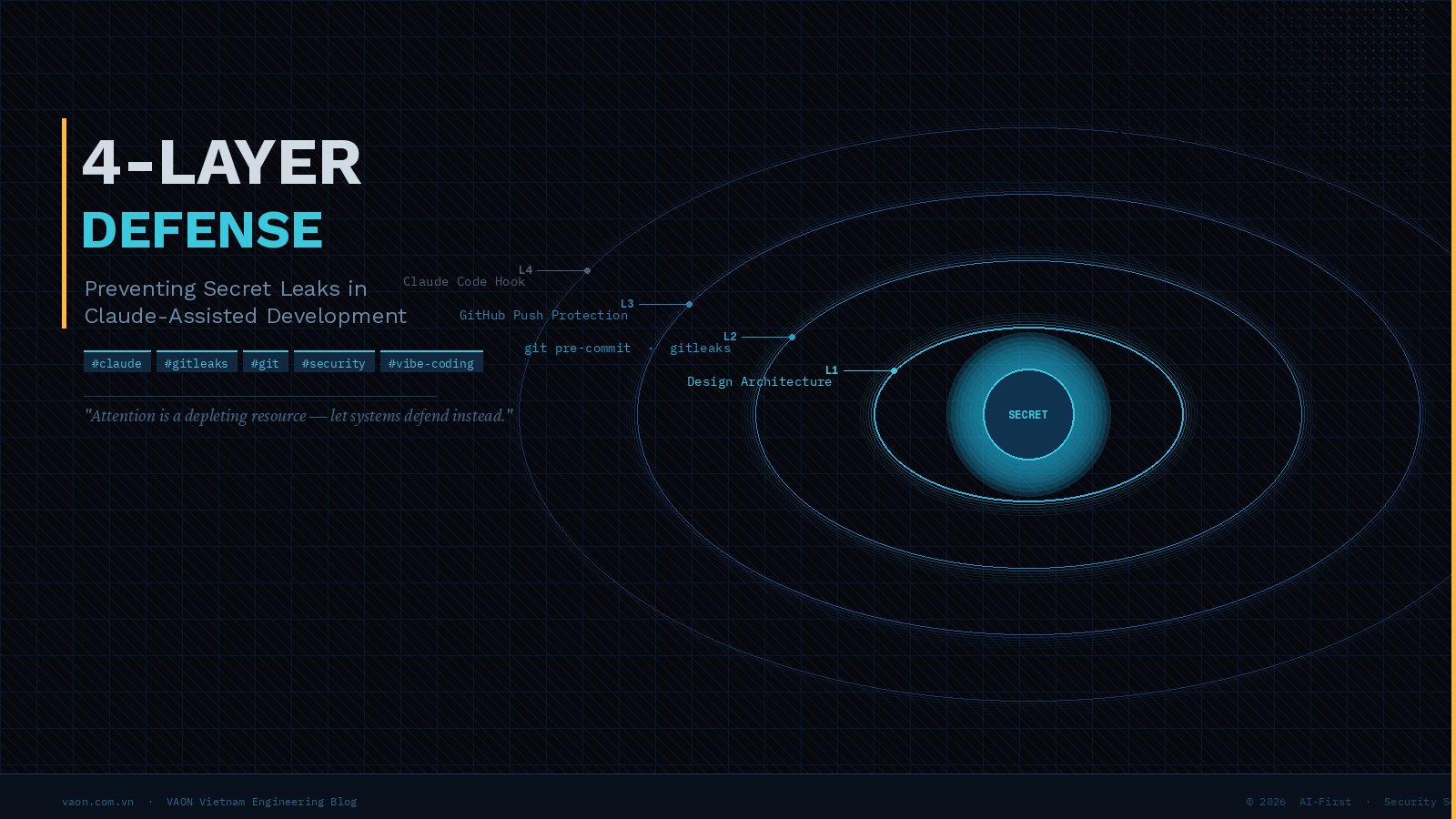
I once committed a customer operations manual — server credentials, admin panel URLs, mail configs — straight into a private GitHub repository. Then kept working. By the time I noticed, there were fourteen commits on top of it.
What followed was an afternoon of git filter-repo, forced pushes, and rotating every password, API key, and token in that file. And the worst part? I was using Claude to write that documentation. The AI was fast, I was on a deadline, and my review bandwidth didn't scale with the output speed.
This post is about what I changed after that incident. Not habits — systems.
The Real Problem: Attention Is a Depleting Resource
When you code with Claude, Cursor, or any AI assistant, your output velocity increases dramatically. A documentation draft that used to take two hours takes ten minutes. That's the value. But your *review bandwidth* stays constant — or decreases, because the cognitive pace of AI-driven work is relentless.
In this environment, "I'll be more careful" is not a strategy. Careful is a resource that runs out. Deadlines, fatigue, the momentum of a productive Claude session — these conditions are exactly when secrets slip through.
What actually works is making it *structurally impossible* to leak secrets, or failing that, having deterministic machines catch what humans miss.
Here's the four-layer framework we use at VAON.
The 4-Layer Framework
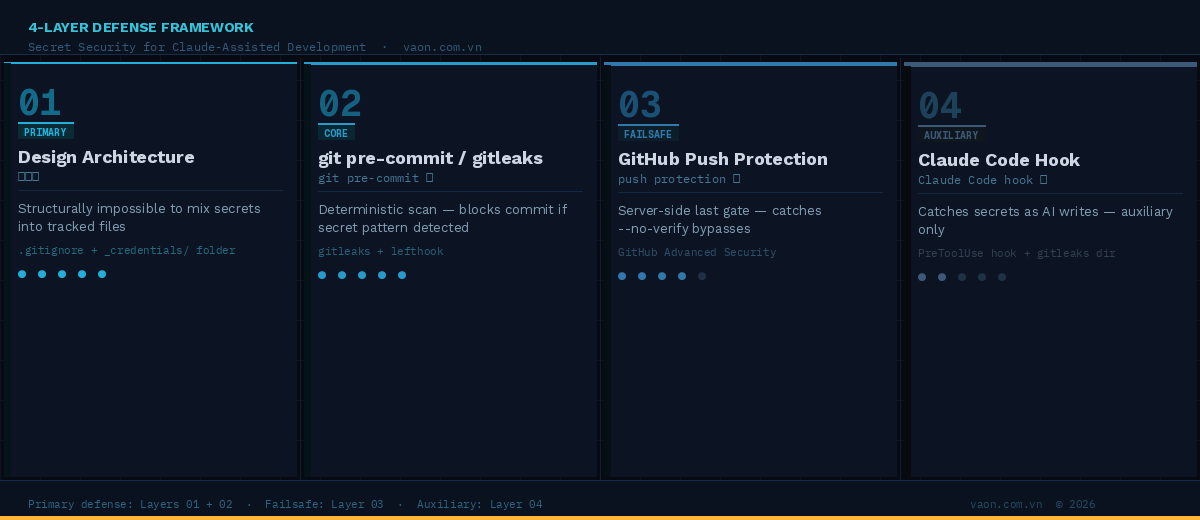
| Layer | Role | Tool | Strength |
| 1. Design Architecture | Structurally prevent secrets from entering tracked files | .gitignore conventions | ◎ Primary |
| 2. git pre-commit | Deterministic scan on every commit | gitleaks + lefthook | ◎ Core |
| 3. GitHub Push Protection | Server-side last gate | GitHub Advanced Security | ○ Failsafe |
| 4. Claude Code Hook | Catches secrets as AI writes | PreToolUse hook | △ Auxiliary |
The order matters. Most developers instinctively reach for Layer 4 — "I'll add a Claude hook." That's backwards. Claude hooks only fire when Claude writes. Every other path — you typing directly, another tool, a shell paste — bypasses it completely.
Start from Layer 1 and work outward.
Layer 1 — Design Architecture: Make It Impossible to Mix
This is the cheapest and strongest layer. The principle: put sensitive content in locations that `git` never tracks.
Create a _credentials/ directory (or any name you prefer) and add it to .gitignore:
# .gitignore
_credentials/
*.local.md
*.secret.md
credentials*.md
**/draft/
Now write your operational manuals, runbooks, and client handoffs in _credentials/ freely. Real passwords, real tokens, in readable human prose. The file never touches git history. No tricks, no templates, no placeholders — just structure.
What you lose: git version history for these files.
What you gain: zero cognitive overhead. The structure cannot leak, regardless of how fast Claude writes.
For versioned credential storage, use 1Password Shared Vaults, Bitwarden, or a Notion page with proper ACL. Git is the wrong tool for secrets anyway.
Layer 2 — git pre-commit / gitleaks: The Deterministic Gate
This is the real workhorse. Install two tools:
- gitleaks — detects secrets via regex pattern matching across staged files. Go binary, fast, covers AWS keys, GitHub tokens, Stripe secrets, OpenAI keys, and hundreds more.
- lefthook — manages git hooks declaratively in YAML. One file, parallel execution, team-friendly.
brew install gitleaks lefthook
Create lefthook.yml at your repo root:
pre-commit:
commands:
gitleaks:
run: gitleaks git --staged --redact --verbose
Then install the hooks:
lefthook install
Every commit now runs a deterministic scan. If a staged file matches a secret pattern — AWS key format, GitHub token prefix, bearer token, etc. — the commit is blocked. Not warned. Blocked.
Add project-specific rules in .gitleaks.toml:
# Project-specific detection
[[rules]]
id = "japanese-password-field"
description = "Detect passwords in Japanese-language documentation"
regex = '''(?i)(パスワード|password|pw|pass)\s*[::=]\s*["']?[A-Za-z0-9!@#$%^&*\-_=+]{6,}["']?'''
tags = ["password"][[rules]]
id = "internal-api-key"
description = "Company-specific API key format"
regex = '''mycompany_(live|test)_[A-Za-z0-9]{24,}'''
tags = ["api-key"]# Suppress false positives from templates
[[allowlists]]
paths = ['''docs/.*\.template\.md''']
regexes = ['''DUMMY_|<placeholder>|xxxxxxxx''']
The key insight: generic patterns (API key shapes) + project-specific patterns (field names in your docs). Japanese documentation often uses パスワード: notation — that won't match generic rules without a custom entry.
Layer 3 — GitHub Push Protection: The Last Gate
Even with pre-commit hooks, a developer can bypass them:
git commit --no-verify -m “quick fix”
Layer 3 is the server-side failsafe. GitHub's Push Protection scans pushes for known secret patterns before accepting them, regardless of local hook state.
Enable it at: Settings → Advanced Security → Secret Protection → Push protection
Important note: public repos get this free and automatically. Private repos require GitHub Team or higher + Secret Protection enabled (part of GitHub Advanced Security, paid). Check your org's billing plan before relying on this.
When a push is blocked, GitHub shows the exact match location and requires explicit override with a justification — creating an audit trail.
Layer 4 — Claude Code Hook: Auxiliary Only
Only now do we talk about Claude-specific tooling. This is intentional.
Add to ~/.claude/settings.json:
json
{
"hooks": {
"PreToolUse": [
{
"matcher": "Write|Edit",
"hooks": [
{ "type": "command", "command": "~/.claude/hooks/secret-guard.sh" }
]
}
]
}
}
Create ~/.claude/hooks/secret-guard.sh:
#!/usr/bin/env bash
set -euo pipefailPAYLOAD=$(cat)
CONTENT=$(printf '%s' "$PAYLOAD" | jq -r '
.tool_input.content //
.tool_input.new_string //
empty
')[[ -z "$CONTENT" ]] && exit 0
TMP=$(mktemp -t secret-guard.XXXXXX)
trap 'rm -f "$TMP"' EXIT
printf '%s' "$CONTENT" > "$TMP"if gitleaks dir "$TMP" --no-banner --redact >/dev/null 2>&1; then
exit 0
ficat >&2 <<'EOF'
secret-guard: Potential secret detected. Write/Edit blocked.
→ Move credentials to _credentials/ (gitignored)
→ Use <PLACEHOLDER> in templates
→ Add false positives to .gitleaks.toml [[allowlists]]
EOF
exit 2
chmod +x ~/.claude/hooks/secret-guard.sh
Why is this Layer 4 and not Layer 1? Three reasons:
1. It only fires when Claude writes. Direct edits, other AI tools, shell pastes — all bypass it.
2. AI-based detection is probabilistic. `gitleaks` is deterministic. The machine is more reliable.
3. "The AI is watching" creates false confidence. It weakens human and organizational vigilance.
Use it as a secondary signal, not a primary defense.
If You've Already Leaked
If you're reading this after the incident:
1. Remove from history:
# Use git filter-repo (not the deprecated filter-branch)
git filter-repo --path path/to/secret-file.md --invert-paths
git push origin --force --all
2. Rotate everything. Without exception.
Once a secret has been pushed — even to a private repo — treat it as compromised. Filter history is not "undoing" the leak; it's limiting further exposure. The credentials themselves must be replaced.
3. Understand the cache problem:
GitHub retains data for a period after force-push. Forks retain it indefinitely. For public repos, contact GitHub Support for cache removal. See GitHub&sensitive data removal guide.
The AI Age Demands System-Level Thinking
As AI tools accelerate our output, they create a category of risk that willpower cannot handle. The gap between "write speed" and "review bandwidth" only grows. The only rational response is to remove the dependency on human attention for failure modes that machines can catch deterministically.
Layer 1 (architecture) + Layer 2 (gitleaks) handles 95%+ of realistic leak scenarios. Layer 3 covers edge cases and override bypasses. Layer 4 catches issues early in the AI loop.
Set it up once. It runs forever.
At VAON, we run this stack across every client project. The hour spent on setup has saved us from at least three incidents in the past year — and probably more we'll never know about.
Ref: https://zenn.dev/takna/articles/secret-leak-prevention-4-layer