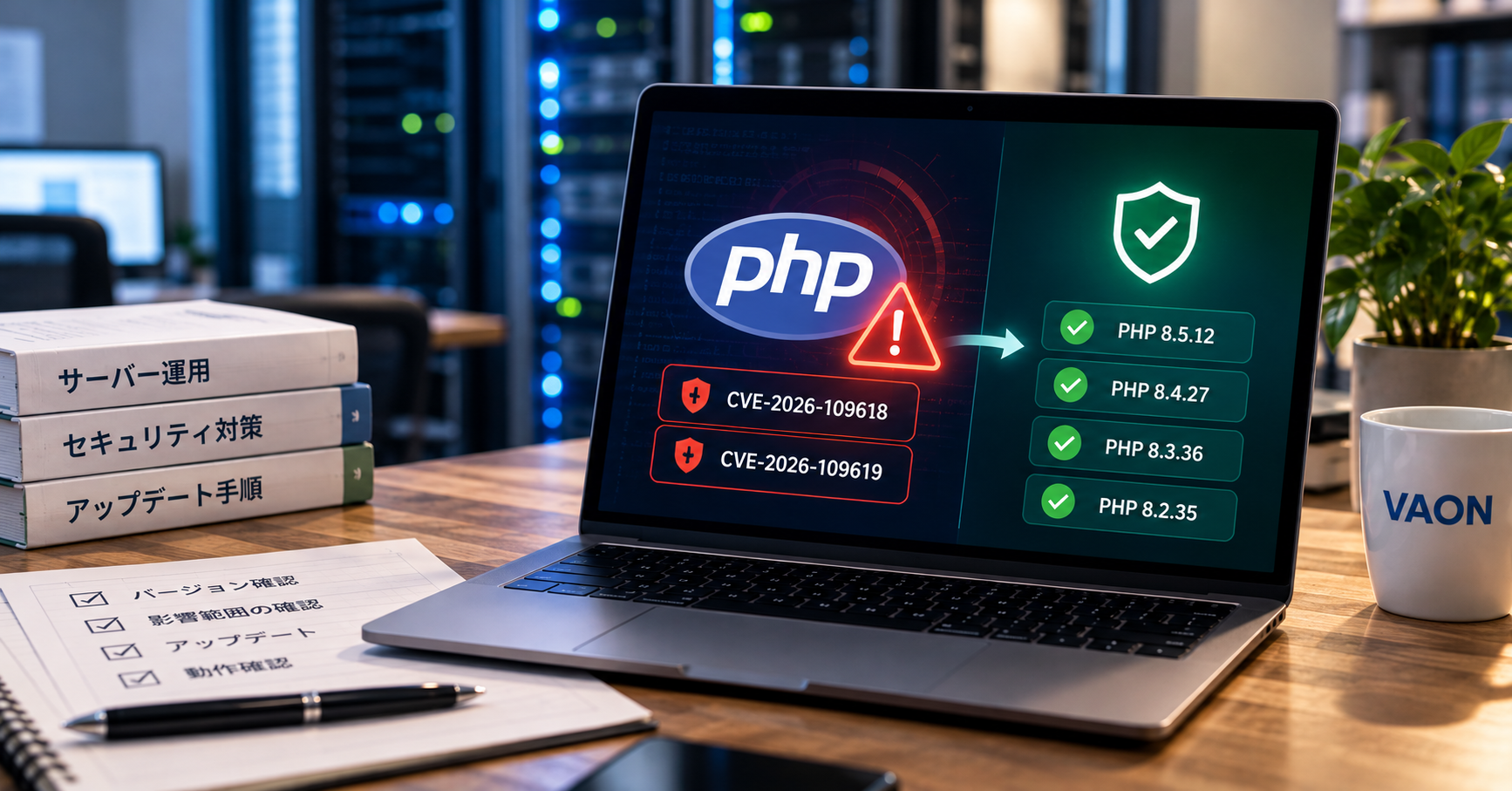
Summary: On Oct 21, 2026, the PHP team fixed two unauthenticated remote code execution flaws (CVSS v4.0 score 9.2) in PHP 8.5.12, 8.4.27, 8.3.36 and 8.2.35. Updating is the only complete fix. If you cannot update today, block the site before requests reach PHP.
Contents
- What makes the PHP flaws published on Oct 21, 2026 dangerous?
- How do you check whether your PHP is affected?
- What if you cannot update right away?
- How did VAON update customers' PHP systems?
- What should you check after updating?
- When is this procedure not enough?
- FAQ
1. What makes the PHP flaws published on Oct 21, 2026 dangerous?
Around 11 PM Japan time on Oct 21, 2026, the PHP team released fixes for two vulnerabilities. Both score 9.2 on CVSS v4.0 (Critical). An outside attacker can run code with the web server's user privileges, with no login.
| Item | CVE-2026-109618 | CVE-2026-109619 |
|---|---|---|
| What happens | When a process stops on an out-of-memory (OOM) error, cleanup treats half-initialized request data as valid | Internal state from a previous request stays in the worker after memory is freed, and the next request reuses it |
| Affected versions | Before 8.2.35, 8.3.36, 8.4.27, 8.5.12 | Same |
| Most dangerous setup | Apache mod_php. An attack has been shown to succeed before application code runs | Confirmed on mod_php. PHP-FPM is affected when nginx or another server passes PHP_VALUE or PHP_ADMIN_VALUE |
| Official fixes | 8.5.12, 8.4.27, 8.3.36, 8.2.35 | Same |
PHP 8.1 and earlier get no updates from the PHP team. Some distribution or long-term support (LTS) vendors may have backported the fix. Ask your own provider.
In Japan, the situation was more urgent. According to ITmedia NEWS, details and a PoC (proof-of-concept exploit code) circulated online before the fix shipped, and attack attempts were observed. Prime Minister Takaichi urged action that night on X. The post also called temporarily suspending a site a valid option when patching cannot happen in time. Many Japanese online services went into emergency maintenance.
2. How do you check whether your PHP is affected?
The version number alone is not enough. Check these three things together.
- The PHP version serving the web. Running
php -von the server shows the command-line (CLI) PHP only. Web requests go through PHP-FPM or mod_php. Check FPM itself, for examplephp-fpm8.3 -v(php-fpm -von RHEL-based systems), or openphpinfo()somewhere only administrators can reach. Many servers run different CLI and FPM versions. - Where the package comes from. Official Ubuntu, Debian and RHEL-based packages sometimes add the fix without raising the version number. Then
php -vshows a number older than 8.3.36, yet the flaw is fixed. Calling a server "safe" or "vulnerable" from the number alone is a mistake. Rely on the vendor's security notice and update history. The official PHP announcement said the community-runrpms.remirepo.nethad no update on release day. Servers using it must switch to distribution packages or build from source. - The SAPI (how PHP connects to the web server). Look at the "Server API" line in
phpinfo(). "Apache 2.0 Handler" means mod_php, the most dangerous setup this time. For "FPM/FastCGI", check whether your web server passes PHP_VALUE.
On shared hosting or managed platforms, you may not be able to update PHP yourself. Read your provider's notice first. If it gives no schedule, ask them.
3. What if you cannot update right away?
If you cannot update PHP now, first decide whether to take the site offline temporarily. The official announcement says there is no complete mitigation and updating is the only safe choice. It lists settings that reduce risk, but each one helps only in part.
| Situation | First step |
|---|---|
| Patched package or image is available | Update, then restart all workers |
| You cannot update today | Block the site before requests reach PHP |
| You cannot take the site down | Apply temporary settings and fix an update date now |
| You run PHP 8.1 or earlier | Ask your vendor about a backport. If none, keep the site down and migrate |
Where you block matters. An application's maintenance mode (such as Laravel's php artisan down) works only after PHP has run and returned "under maintenance". CVE-2026-109618 has a shown attack that succeeds before application code runs, so this does not protect you. Serve a static HTML maintenance page from the load balancer, CDN or web server config, so requests never reach PHP.
If you cannot take the site down, the official announcement gives these temporary settings.
- Set
session.upload_progress.enabled=0in php.ini, the FPM pool config or the server config, then restart all workers.ini_set()and.user.inihave no effect. - Set
memory_limit=-1withphp_admin_valueso the application cannot override it. - Lower
post_max_size(the official example is 8M, or 32M if you need file uploads). Keepupload_max_filesizebelow it. - On PHP 8.5, set
fatal_error_backtraces=0and restart all workers. - If your application does not use multipart requests, block them at the front layer.
memory_limit=-1 removes the memory cap entirely. It avoids the flaw, but the server can run out of RAM. The announcement also warns against RLIMIT_AS or RLIMIT_DATA as a substitute, because they trigger the vulnerable code path.
4. How did VAON update customers' PHP systems?
Right after the fix was released at around 23:00 JST, VAON started work on 5 PHP systems we maintain for customers, and finished updating PHP within about an hour. Full testing came after that and took additional time. Every system went through the same 6 steps in the same order.
- Switch to a maintenance page. We told the customer contact the downtime window, then served a static maintenance page from the web server or load balancer. As noted above, this page bypasses PHP.
- Inventory the server setup. For each system we listed the OS, web server, SAPI, PHP package source, and whether it uses a Docker image. The same "PHP 8.3" updates differently depending on its source.
- Confirm the running PHP version. Besides
php -v, we checked the FPM version and the Server API line inphpinfo()to spot CLI and web mismatches. We saved the extension list (php -m) as a pre-update record. - Update PHP. We swapped in the vendor's patched package, or rebuilt the image from the patched version. Then we restarted PHP-FPM or Apache so every worker runs the new build, because editing a config file leaves old workers running. We confirmed the app does not use the session upload progress feature, then left
session.upload_progress.enabled=0in place after the update. - Test everything. Systems with automated tests ran them. For gaps, we checked by hand the actions customers cannot afford to lose: login, search, file upload, payment. We compared
php -mafter the update with the earlier record to confirm no extension went missing, and checked the error log for new warnings. - Remove the maintenance page and monitor. After reopening the site, we kept watching error logs and traffic for a while before reporting completion to the customer.
The step that took the most effort was checking before and after the update. A newer PHP version can break some of the libraries a project depends on. So we first identified which libraries, at which versions, could be affected, and then retested the whole project. This checking took more time than the PHP update itself.
5. What should you check after updating?
Updating PHP blocks only future attacks. Attack attempts were observed before the fix was released. If your site stayed public before you updated, check whether an attacker already got in.
- Are there unfamiliar new PHP files in the web server's public directory?
- Do access logs before and after the update show a burst of large multipart requests?
- Is any unknown process running under the web server's user?
If you see even one suspicious sign, bring in a specialist and assume the server must be rebuilt.
One more step keeps this from repeating. Security fixes for PHP 8.2 end on Dec 31, 2026. Systems on PHP 8.1 or earlier already get no official fixes. To update the same day the next urgent flaw appears, plan your version upgrade now.
6. When is this procedure not enough?
This procedure assumes you have a patched package or image and can operate the server yourself. These cases need a different approach.
- PHP 8.1 or earlier, with the app untested on newer PHP. Upgrading can break the app. You must choose between a vendor backport and keeping the site down while you migrate.
- Shared hosting, or a platform where the provider updates PHP. You can only decide whether to take the site down and ask the provider.
- Signs of compromise already present. Updating does not undo a break-in.
VAON's process also cannot guarantee that no intrusion happened before the update. We agree with each customer how far to investigate.
7. FAQ
php -v shows an old version. Am I at risk?
You cannot tell from the number alone. php -v shows the CLI version, which may differ from the PHP serving the web. Official OS packages may also carry the fix without changing the number. Check the FPM version and your package vendor's security notice.
Does application maintenance mode stop the attack?
Do not count on it. Mechanisms like Laravel's php artisan down return "under maintenance" only after PHP has run. CVE-2026-109618 has a shown attack that succeeds before application code runs, so serve the maintenance page from a layer that bypasses PHP.
Am I safe if I use PHP-FPM? No. The official announcement calls mod_php the most dangerous setup, but it covers every environment that handles web requests, PHP-FPM included. Passing PHP_VALUE or PHP_ADMIN_VALUE from nginx meets the condition for CVE-2026-109619, so take extra care.
Can I just change settings and wait? We do not recommend it. The official announcement states there is no complete mitigation and updating is the only safe choice. Treat setting changes as a stopgap, and fix an update date now.
I run PHP 8.1. Where do I start? First, ask your OS or LTS vendor whether they have a fix. If not, take the site down until you can update, or block multipart requests at the front layer, while you migrate to a supported version. Whether the app needs changes only becomes clear after reviewing the source code.
Is any of your sites still on an unpatched PHP? It is fine if you do not know your server setup, or if the person who handed it over has left. In a free consultation, we work with you to decide whether to take the site down and in what order to update. If it is urgent, email luan.dang@vaon.com.vn directly. Book a free consultation
References
- PHP "News Archive 2026" (Security advisory: Critical remote code execution vulnerabilities, update now, Oct 21, 2026): https://www.php.net/archive/2026.php (checked 22 Oct 2026)
- php-src "GHSA-6wmf-4rv5-p3rp: RCE via stale global state" (CVE-2026-109619): https://github.com/php/php-src/security/advisories/GHSA-6wmf-4rv5-p3rp (checked 22 Oct 2026)
- ITmedia NEWS "高市総理「大至急、PHPパッチ適用を」Xで異例の要請 エンジニアは評価「経営層に伝わる」" (Oct 22, 2026): https://www.itmedia.co.jp/news/article/2610/22/2000002483/ (checked 22 Oct 2026)